

Plan Tasks, Notes, and Workflows Easily — Optimized for Large TV Screens
Productivity is no longer limited to smartphones and laptops. With the rise of Android TV, Smart TVs, and TV Boxes, users are increasingly managing tasks, notes, and workflows directly from large screens.
Applications designed to plan tasks, notes, and workflows easily — while being optimized for large TV displays — represent a new category of productivity tools. These apps focus on clarity, readability, remote control navigation, and collaborative visibility.
Why Task Planning on TV Screens Matters
Large TV screens offer a unique advantage: visibility. When tasks and workflows are displayed on a big screen, teams and individuals gain instant awareness of priorities and progress.
Unlike mobile apps that require constant interaction, TV-optimized task planners are designed for:
- Quick overview of tasks and notes
- Shared visibility for families or teams
- Hands-free or remote-based navigation
- Reduced cognitive overload
Core Features of TV-Optimized Task Planning Apps
1. Task Management
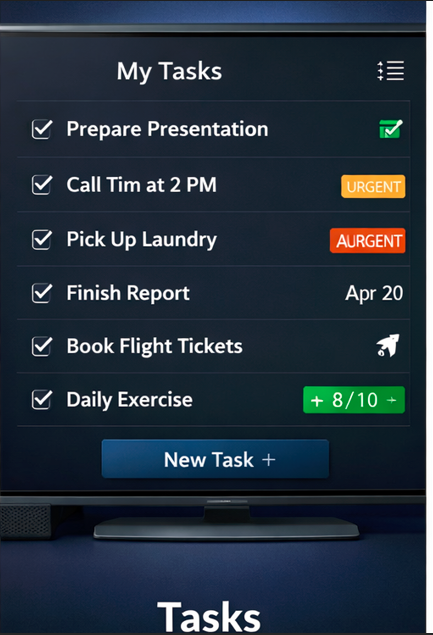
Tasks are presented in large, readable cards. Users can view task status, deadlines, and priorities from several meters away without eye strain.
2. Notes and Reminders
Notes are simplified and visually structured. Instead of long paragraphs, these apps emphasize bullet points, highlights, and reminders.
3. Workflow Visualization
Many TV productivity apps adopt a Kanban-style layout, showing tasks in columns such as:
- Planned
- In Progress
- Completed

User Interface Designed for Large Displays
TV-optimized applications follow strict UI rules that differ from mobile or desktop apps.
- Large fonts with high contrast
- Minimal text per screen
- Clear focus indicators for remote navigation
- Simple animations to guide attention
These design principles ensure the app remains readable even on 55” or 65” screens viewed from a distance.
Common Use Cases
Home & Family Organization
Families use TV task planners to display shared schedules, shopping lists, and reminders in living rooms or kitchens.
Office & Team Meetings
In offices, large screens display project workflows, daily tasks, and deadlines during meetings.
Content Creation & Media Teams
Media teams track video production stages, publishing schedules, and collaboration tasks directly on studio TVs.
Analytical Comparison Table
| Feature | TV-Optimized Planner | Mobile Task App |
|---|---|---|
| Screen Readability | Excellent | Limited on large screens |
| Shared Visibility | High | Low |
| Remote Navigation | Optimized | Not supported |
| Detail Editing | Basic | Advanced |
Pros & Cons
✔ Pros
- Perfect readability on large screens
- Great for shared environments
- Simple and distraction-free design
- Ideal for passive monitoring
- Low learning curve
✖ Cons
- Limited detailed task editing
- Less suitable for solo mobile use
- Dependent on TV availability
- Requires remote or external input
Performance and Optimization for TV Devices
TV productivity apps are optimized for lower input frequency and higher display persistence. This results in better performance on Android TV boxes with limited hardware resources.
Lightweight animations, lazy loading, and simplified layouts ensure smooth operation even on budget TV devices.
SEO & Content Strategy Benefits
From a content and SEO perspective, TV-based task planners open new opportunities. Businesses can display live dashboards, goals, or content plans directly on screens visible to teams and clients.
- Improved team alignment
- Real-time visibility of priorities
- Better execution of content strategies
Who Should Use TV-Optimized Task Planning Apps?
These applications are ideal for:
- Smart TV and Android TV users
- Families managing shared tasks
- Offices using meeting room screens
- Creative studios and media teams
- Productivity-focused environments
Final Thoughts
Planning tasks, notes, and workflows on large TV screens represents a powerful shift in how we interact with productivity tools. Instead of hiding information behind small screens, TV-optimized apps bring clarity, focus, and shared awareness.
While they may not replace mobile or desktop task managers, these applications complement them perfectly — offering a visual command center for modern productivity.
