
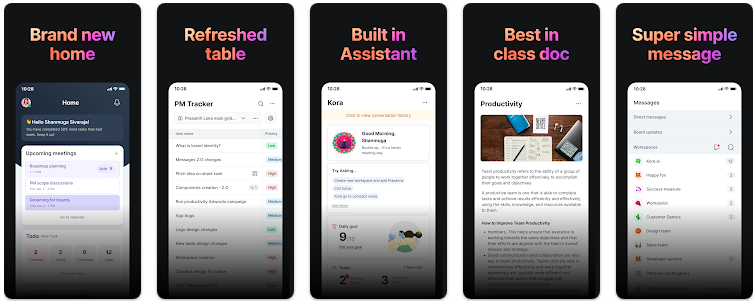
Plan Tasks, Notes, and Workflows Easily — Optimized for Large TV with Workspace Integration
Productivity tools are no longer limited to smartphones and laptops. As smart TVs, Android TV boxes, and large-screen displays become more common in homes, offices, and workspaces, the demand for applications optimized for large screens has grown rapidly.
A task, notes, and workflow planning app optimized for large TV screens with workspace integration offers a completely new way to organize work, collaborate visually, and manage daily activities from a distance. Whether used in offices, classrooms, meeting rooms, or even smart homes, this type of application transforms productivity into a shared, visual experience.
What Is a Large-TV Optimized Task & Workflow Planner?
This type of application is designed specifically for large displays, focusing on readability, navigation simplicity, and remote control usability. Instead of dense interfaces built for touchscreens, the UI emphasizes clear typography, large cards, high-contrast colors, and minimal interaction steps.
Workspace integration allows users to connect calendars, project boards, cloud storage, communication tools, and task managers into a unified visual hub.
Key Features of a TV-Optimized Productivity App
1. Task Management on Large Screens
Tasks are displayed as cards or lists that can be easily read from several meters away. Priorities, deadlines, and status indicators are visually clear, making it ideal for daily planning sessions or team standups.
2. Notes Designed for Visibility
Notes are formatted with large fonts, structured sections, and color highlights. This is especially useful for meeting summaries, reminders, brainstorming sessions, and shared instructions.
3. Workflow Visualization
Workflows are often represented using Kanban-style columns or timelines, allowing users to track progress at a glance. This visual approach works exceptionally well on TV screens.
4. Workspace Integration
Integration with popular productivity ecosystems ensures that tasks and notes stay synchronized across devices and teams.
- Cloud-based task synchronization
- Calendar and reminder integration
- File and document access
- Collaboration and shared boards
Real-World Use Cases
Large-screen productivity apps shine in environments where information must be shared and visible to multiple people simultaneously.
- Offices & Meeting Rooms: Daily task boards, sprint planning, and project tracking
- Remote Teams: Shared dashboards for distributed collaboration
- Smart Homes: Family task planning, reminders, and schedules
- Classrooms & Training Centers: Lesson planning and collaborative notes
- Retail & Operations: Workflow tracking and operational checklists
Feature Analysis Table
| Feature | Description | TV Optimization |
|---|---|---|
| Task Boards | Visual cards with priorities and deadlines | Excellent |
| Notes System | Structured notes with highlights | Very Good |
| Workflow Columns | Kanban-style progress tracking | Excellent |
| Workspace Integration | Connects calendars, files, and tools | Good |
| Remote Navigation | Optimized for TV remotes | Excellent |
Pros & Cons
Pros
- Perfect readability on large screens
- Ideal for shared workspaces
- Strong visual workflow management
- Improves team alignment
- Workspace and cloud integration
Cons
- Limited detailed editing via remote control
- Not ideal for quick mobile edits
- Requires stable internet for sync
- May need companion mobile app
Tips to Maximize Productivity on Large TV
- Use color coding to differentiate task priorities
- Keep workflows simple and uncluttered
- Schedule daily review sessions
- Combine TV display with mobile input
- Limit on-screen text for better readability
Conclusion
Planning tasks, notes, and workflows on a large TV screen with workspace integration represents a powerful evolution in productivity. By shifting focus from individual devices to shared visual environments, teams and households can stay aligned, focused, and efficient.
Whether for business, education, or personal organization, a TV-optimized productivity app offers clarity, structure, and collaboration at a scale that traditional tools simply cannot match.


