
Skip to content
ProDroidTech
Menu
  • Home
  • app-reviews
  • AI & Automation
  • smart devices
    • AndroidTV
    • Firestick
    • BoxTV
    • GoogleTV
  • More Categories
    • Top Lists & Recommendations
    • Tech Tutorials
    • Top 10 AI Tools That Failed Creator
    • Free Tools
  • Contact
  • About Us
Menu
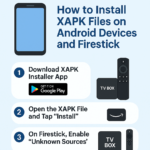
Digital infographic in Arabic explaining the steps for installing XAPK apps on Android and Firestick devices, with icons for an Android phone, Firestick, and a Google Play download button.

How to Install XAPK Apps on Android and Firestick Devices in Simple Steps

Posted on May 13, 2025May 18, 2025 by mebech33

XAPK apps have become popular in the Android world because they contain APK + OBB files combined into a single file. However, Android and Firestick devices do not support installing them directly from the system, so you need a dedicated method. In this article, we explain the best ways to easily install XAPK apps on your phone or Firestick.
What is an XAPK file ?

An XAPK file is an advanced format that includes:

The app’s APK file.

The OBB file (additional data such as graphics and sound).

The installation files are combined into a single package.

Steps to Install XAPK Files on Android Devices :

  1. Download the XAPK Installer App :
    Search on Google for a trusted app like APKPure Installer or XAPK Installer and install it.
  2. Grant Permissions :
    Allow the installer app to access storage (Permissions) so it can extract files.
  3. Open the XAPK file :
    After downloading the XAPK file, open it using the installed app, then tap “Install.”
  4. Complete the installation:
    Wait for the files to be extracted and the app to be fully installed .

Steps to install XAPK on Firestick :

Since Firestick does not support this format directly, follow these steps :

  1. Enable “Unknown Sources :
    Go to :
    Settings > My Fire TV > Developer Options > Apps from Unknown Sources
    and enable it .
  2. Download the XAPK Installer or File Manager app :
    Using a Downloader browser download an app like XAPK Installer in APK format .
  3. Download the XAPK file :
    You can download the file from the internet or transfer it via USB using a file explorer like X-plore.
  4. Install the app :
    Open the installer app, select the XAPK file, and tap “Install .

Important Tips :

Make sure you have enough space before installing.

Use trusted sites to download XAPK files.

Some apps may not work on Firestick due to compatibility restrictions .

Recent Posts

  • Boost Your Productivity with Simple Automated Workflows
  • Boost your productivity with simple automated tasks
  • How to promote and sell products directly through the TikTok Shop
  • Top technology news emerging technologies and tools innovative
  • The best digital tools smart solutions for boosting productivity automation

Recent Comments

No comments to show.

Archives

  • February 2026
  • January 2026
  • December 2025
  • November 2025
  • October 2025
  • May 2025

Categories

  • AI & Automation
  • AndroidTV
  • app-reviews
  • best Android apps
  • Blog
  • Blogging
  • BoxTV
  • Category
  • Firestick
  • Free Tools
  • GoogleTV
  • How-To Fix & Tech Solutions
  • Smart Devices
  • Tech Deals & Offers
  • Tech News & Trends
  • Tech Tutorials
  • Top 10 Free AI Video
  • Top Lists & Recommendations
  • Uncategorized
About Us
Privacy Policy
Contact Us
Disclaimer
Terms & Conditions
cookie-policy
About Us
Privacy Policy
Contact Us
Disclaimer
Terms & Conditions
cookie-policy

© 2025 ProDroidTech. All rights reserved.

©2026 ProDroidTech | Design: Newspaperly WordPress Theme
Review Your Cart
0
Discount
Add Coupon Code
Subtotal
Total Installments (before discounts)
Bundle Discount
Checkout
0

Notifications